Home
Physician Scheduling’ homepage has everything you need to stay on top of your schedule, serving as a notification panel where important items are displayed as you log in.
The top section displays bookmark links listed in the  Bookmarks section under Home. These easy-to-use buttons give the user access to important schedules, reports, and applications.
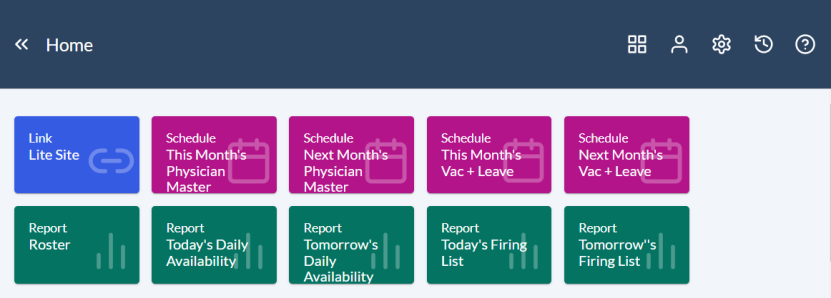
Directly below, Physician Scheduling displays a list of News Items, a Bulletin Board with pending assignments, and lists of pending swaps and requests.

 Archiving items
To permanently archive the items from either the Bulletin Board, Pending Requests, or Pending Swaps lists, click on the  Archive icon.
This action will prompt an Archive pop-window.
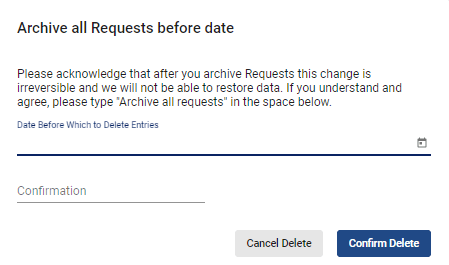
Navigate to the Date Before Which to Delete Entries field and choose a date from the calendar.
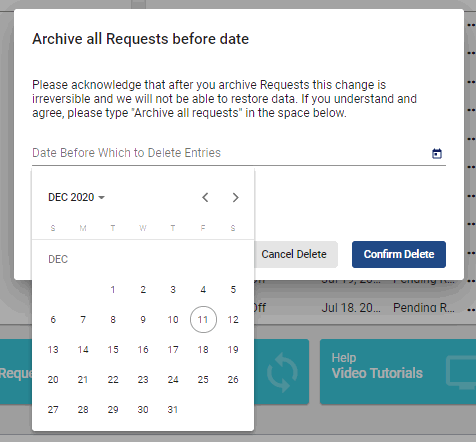
Navigate to the Confirmation field and type in “Archive all requests.”

When done, click on the  button.
In the bottom of the homepage, Physician Scheduling makes Help links such as this Getting Started article available for quick and easy access.

Video Tutorial: Home
How do I navigate the homepage in Physician Scheduling: A short video of how to navigate the homepage