 Not seeing a particular option on your
 Rollback Schedules
To undo a schedule generation, scroll down to the Build page’s Optional Step: Rollback Schedule. Click on the date under  to choose the period to which you would like to rollback your schedule.
This action will prompt a pop-up Select Date box where you can choose periods ranging from recent or specific dates to 4-week blocks, months, quarters, full academic, fiscal, or calendar years, as well as academic and calendar years to date.
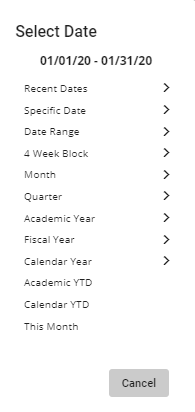
Once you’ve chosen a date range, click on the  button to rollback your schedule.
To roll back schedules from the same provider, select a date and then a provider from the Providers dropdown menu below Generate Schedule.
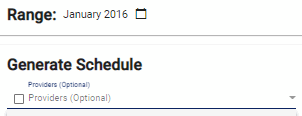
Click on the  button when done.
Video Tutorial: Rollback Schedule
How do I undo a schedule generation in Physician Scheduling: A short video of how to rollback a schedule generation